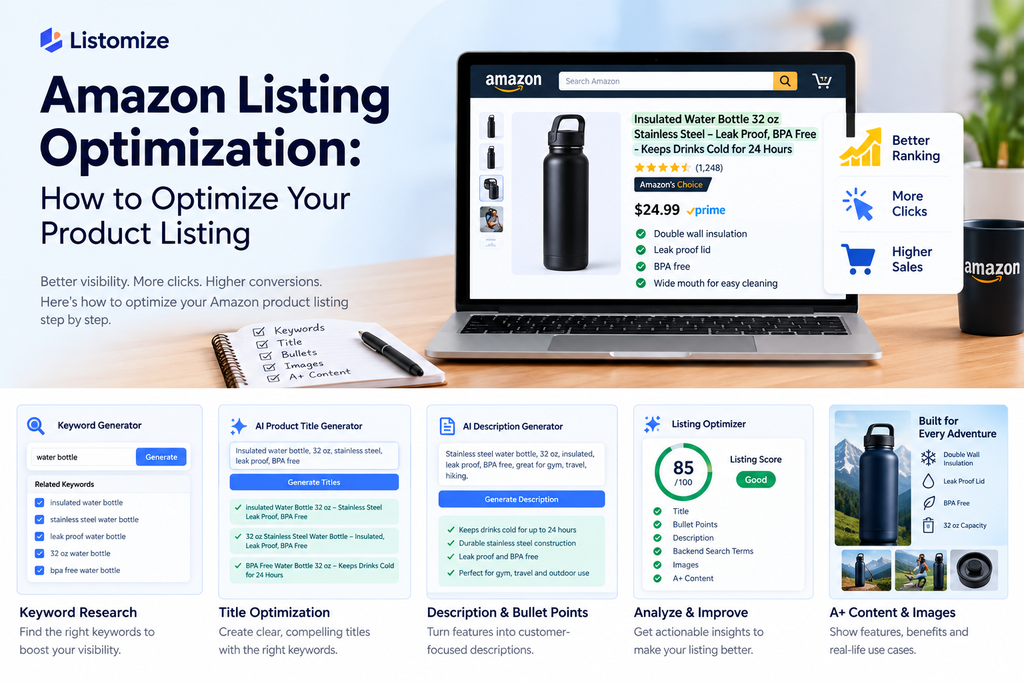
Amazon Listing Optimization: The Complete Guide for 2026

Table of Contents
If you uploaded a product to Amazon, made a good title, and added bullet points, you’re not alone. Many do the same and then walk away. Most sellers treat their listing like a form to fill out once. Set it, forget it, move on to the next product.
The problem is that Amazon doesn’t work that way. Every day, millions of products compete for limited search results. The winners aren’t always the best; they’re the ones Amazon’s algorithm understands easily. They also need to grab a shopper’s attention quickly—within three seconds.
This guide shows how to create a great Amazon listing in 2026. It explains how the algorithm checks listings. It also shows how to find the right keywords. It shows you how to use that research for a title, bullet points, and a description that work. By the end, you’ll have a clear checklist you can apply to any listing you own.
Understanding Amazon’s Search Algorithm
Amazon’s ranking system, known as A9 or A10, doesn’t aim to find the “best” product in a general way. It’s trying to find the product most likely to get purchased and kept. That distinction matters more than most sellers realize.
Broadly, the algorithm leans on two categories of signals.
The first is relevance — does your listing actually match what the shopper typed in? This is where keywords come in.
Title: Stainless Steel Water Bottle: Durable and Eco-Friendly Hydration Solution
- Durability: Made from high-quality stainless steel
- Eco-Friendly: Reusable, reducing plastic waste
- Insulation: Keeps drinks cold or hot for hours
- Design: Sleek and lightweight for easy carrying
- Versatile: Great for sports, travel, or everyday use
If it’s not there, Amazon won’t consider your product, no matter how great it is.
The second is performance. When your product appears, do users click it? After clicking, does it lead to a buy and retention? Click-through rate, conversion rate, sales velocity, and return rate all feed into this. A listing with great keywords but a blurry main image and a confusing title may get views, but it won’t get clicks. Over time, Amazon will quietly move it lower in search results.
The takeaway is clear: keyword optimization puts you in the race. But conversion optimization is what wins it. You need both, and the rest of this guide covers each piece.
Keyword Research: The Foundation
our listing’s title, bullets, description, and backend terms need the right keywords. If you get this step wrong, you waste all the effort built on top of it. Amazon’s own product listing guidelines outline exactly what information belongs where.
Start with Amazon’s own autocomplete. Type a broad term related to your product into the Amazon search bar and pay attention to what it suggests. These suggestions aren’t random. They show what real shoppers are typing, ranked by popularity. This is free, takes ten minutes, and gives you a solid seed list.
Study your top competitors. Pull up the five or six listings currently ranking on page one for your main keyword. Scrutinize their titles and bullet points—not to copy them, but to spot patterns. If four out of five competitors use “BPA-free” or “leak-proof” in their titles, it’s no accident. This shows that shoppers want these features.
Use a dedicated research tool once you have a seed list. Manual research is a good start, but it’s slow. You might miss long-tail variations that have real search volume. Many sellers use a keyword tool to grow their list. This helps them check search volume and filter out related terms that won’t convert. If you don’t want to do this manually, try Listomize’s AI Keyword Generator. It takes a seed term and gives you a prioritized list, so you won’t have to guess.
The goal is simple: make a list of about fifteen to twenty-five relevant keywords. Sort these by their importance and relevance to your product. Not every keyword needs the same approach. The next sections will explain where each one fits.
Product Title Optimization
Your title is the most important part of on-page real estate for Amazon’s algorithm. It’s the first thing shoppers see, which influences their decision to click. It has to do two jobs at once.
Amazon has a character limit that changes by category. A good rule is to keep it under 200 characters. Also, place your key keywords in the first 80 characters. Amazon’s mobile app often cuts off titles. If your best keyword is at the end, mobile shoppers might miss it completely.
A weak title looks something like this:
“Water Bottle, Great for Gym, Home, Office, Outdoor, Travel Use”
It’s vague, it’s generic, and it doesn’t tell Amazon or the shopper anything specific. A stronger version, built from actual keyword research, looks more like:
“Stainless Steel Water Bottle 32oz — Insulated, Leak-Proof, BPA-Free, Wide Mouth with Straw Lid”
See the difference: the second version starts with the exact phrase people look for. It highlights specific attributes that competitors use. Plus, it flows naturally instead of sounding like a keyword dump. That last part is important. Amazon penalizes titles that seem like keyword stuffing. Shoppers also skip these titles.
If creating titles from scratch feels random, try Listomize’s Title Generator. It can help you avoid staring at a blank screen while juggling keywords and readability.
Bullet Points That Convert
- Bullet points are important for SEO
- Shoppers read them before making a buy decision
Treating them like a keyword dump often fails. Shoppers feel talked at, not informed, and they close the tab.
The fix is to lead with a benefit, not a feature. “10 oz of double-wall insulation” is a feature. “Stays ice-cold for 24 hours, even left in a hot car” is a benefit built on that feature — and it’s far more persuasive.
A few practical rules that consistently work:
- Start each bullet with a capitalized short phrase (e.g., “KEEPS DRINKS COLD FOR 24 HOURS:”) so scanning shoppers can grasp the point in half a second.
- Work one relevant keyword into each bullet naturally, rather than repeating the same term five times.
- Keep sentences short. Shoppers on mobile are skimming, not reading.
- Use all five available bullet slots — an unused bullet is a missed opportunity, not a neutral choice.
Need a starting draft for your listings? Use Listomize’s Description Generator. It helps create bullet points that highlight your product’s key benefits and features.
Writing the Product Description
The description lets you tell more of a story. It should still include important keywords that didn’t fit in your title or bullet points.
Use A+ Content if your brand is registered. It often boosts conversion rates. Plus, it replaces plain text with a richer, image-supported layout. A clear and simple description is more important than many sellers think. This is especially true if you haven’t secured Brand Registry yet. You can address issues directly here. You can fix sizing issues or compare the product to what the customer already has. Share product details like a knowledgeable friend, not a press release. Keyword placement matters, but it should feel natural. Avoid making it seem like an afterthought.
Backend Search Terms
Backend search terms are hidden fields. Here, you can add keyword variations that don’t fit in your visible text. This includes plural forms, common misspellings, synonyms, and related terms.
A few rules that trip sellers up constantly
- Don’t repeat words you’ve already used in your title or bullets. Amazon indexes the whole listing. So, repeating information wastes character space and adds no value.
- Don’t include competitor brand names. This is a direct policy violation and can result in a suppressed listing.
- Avoid commas between terms. Amazon’s backend sees commas as characters, not separators. This can quietly disrupt your indexing.
This field has a strict character limit. Every word must be unique and fit nowhere else.
Images and Visual Optimization
Keywords get you into the search results. Images are often what actually gets the click and, just as importantly, the sale.
Your main image must follow Amazon’s rules:
- Use a pure white background.
- Make sure the product fills most of the frame.
- Avoid extra text or badges.
Also, it should be sharp, well-lit, and easily recognizable even as a thumbnail.
Lifestyle shots, like the product in use or next to a scale item, boost conversion rates. They help shoppers imagine owning the product before they buy it. Showing your product on a white background from five angles is a simple but powerful fix.
Common Mistakes to Avoid
A few mistakes show up across almost every underperforming listing:
- Keyword stuffing in the title to the point that it reads as nonsense to an actual shopper
- Ignoring backend search terms entirely, leaving free indexing opportunity on the table
- Using the same five generic bullet points for every product can mean missed chances. Customizing them helps highlight unique features. It also makes the catalog more engaging for customers. So, consider personalizing each product’s description. This can improve sales and customer satisfaction
- Never updating the listing after the first upload, even as competitors change theirs.
- Focusing only on search volume can backfire. Ranking for a high-volume keyword that isn’t relevant may lead to clicks that don’t convert. This can hurt your ranking due to a high return rate.
We’ll explore these mistakes, plus a few less obvious ones, in a follow-up post. But fixing just two or three on an existing listing can lead to a noticeable boost.
Bringing It All Together
Amazon listing optimization isn’t a single task you complete once. It starts with keyword research for the title. Then, bullets help with conversion. Backend terms complete your indexing. Finally, images turn clicks into sales. Each piece helps the others. A weak link in the chain limits how well the rest can perform.
If managing your catalog by hand feels too slow, try Listomize’s AI Listing Optimizer. It can help. It turns your product details into a great title, bullet points, and a description in just minutes.
FAQs
Q1: What is Amazon listing optimization?
Amazon listing optimization is the process of improving your product title, bullet points, description, images, and backend search terms so your listing ranks higher in Amazon search results and converts more visitors into buyers.
Q2: How long does it take to see results after optimizing a listing?
Most sellers start noticing changes in impressions and click-through rate within 1-2 weeks, while sales improvements typically become measurable within 3-4 weeks as Amazon’s algorithm gathers enough performance data.
Q3: How many keywords should I include in an Amazon title?
There’s no fixed number — focus on naturally including 2-3 high-priority keywords in the first 80 characters of your title, rather than stuffing in as many keywords as possible.
Q4: What are backend search terms and why do they matter?
Backend search terms are hidden keyword fields Amazon uses for indexing that shoppers never see. They let you target keyword variations, synonyms, and common misspellings that didn’t fit naturally into your visible listing content.
Q5: Can I use AI tools to optimize my Amazon listing?
Yes — AI tools can speed up keyword research and generate first drafts of titles, bullet points, and descriptions, but the output should always be reviewed and edited to match your brand voice and ensure it reads naturally to shoppers.
Q6: Do I need Brand Registry to optimize my listing?
No, Brand Registry isn’t required for basic optimization like titles, bullets, and backend keywords. However, it does unlock A+ Content, which typically improves conversion rates further.